
Budget workbook
Budget Grid — Dual Excel + Sheets Budget That Won’t Break
The budget spreadsheet that won’t break when you insert a row or paste a transaction. Seven clear tabs. Locked formulas. Dual Excel + Sheets.
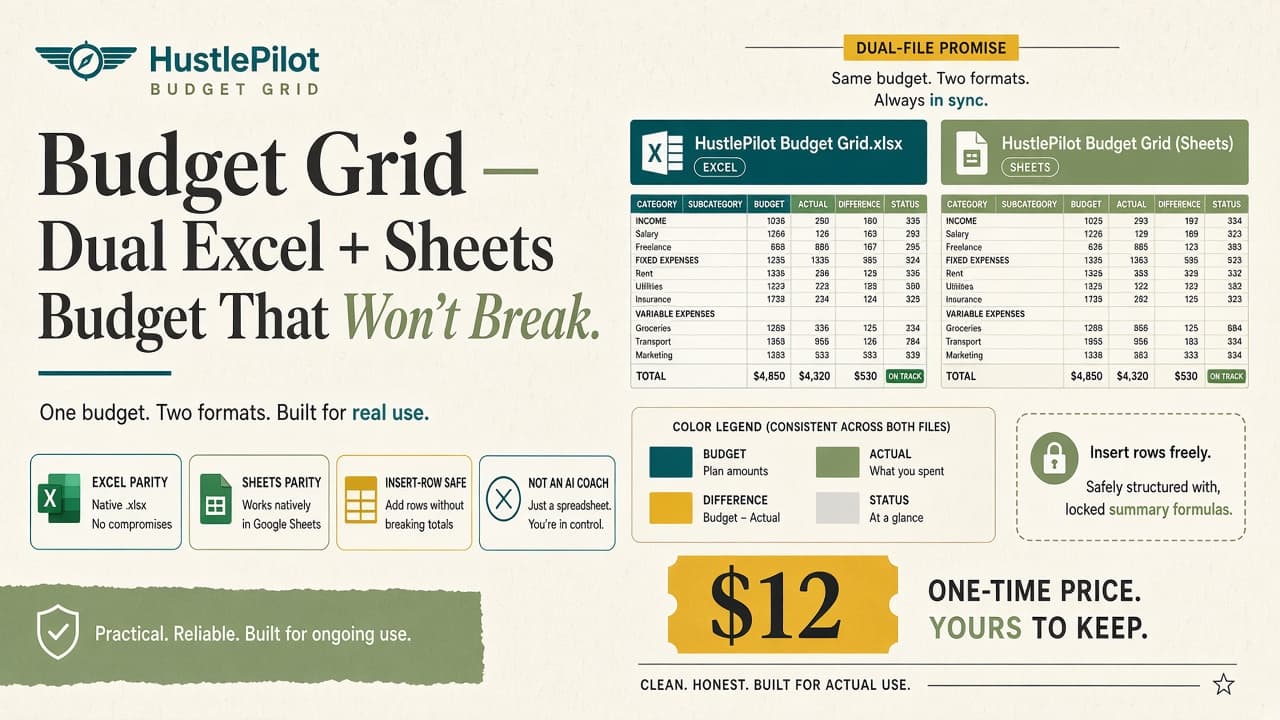
Most budget files either sprawl into a maze of tabs — or they shatter the moment you insert a row in the transaction list.
Budget Grid is built for correctness: one purchase, both runtimes, a register that stays intact when you edit it.
What’s included
Excel workbook (.xlsx)
full feature set
Google Sheets twin
same tabs, same formulas
Setup guide (PDF)
which file for which app, safe-edit ranges, what not to break
The 7 tabs
- 1. Home — one-screen overview of where the money stands
- 2. Setup — currency, starting balances, and dropdown lists
- 3. Categories — income and spend buckets you control
- 4. Transactions — insert-row safe + cut-paste safe register
- 5. Monthly — month-by-month planned vs actual
- 6. Annual — year rollup without a second workbook
- 7. Goals — targets and progress you can see at a glance
Built so it won’t break
- Insert-row safe + cut-paste safe transaction register
- Protected formulas so an overwrite doesn’t nuke the math
- Yellow = safe to edit — personalize without breaking calculations
- Dual-runtime parity — Excel and Sheets, same IA
- Seven clear tabs — not a 20-tab mega-file
Look inside
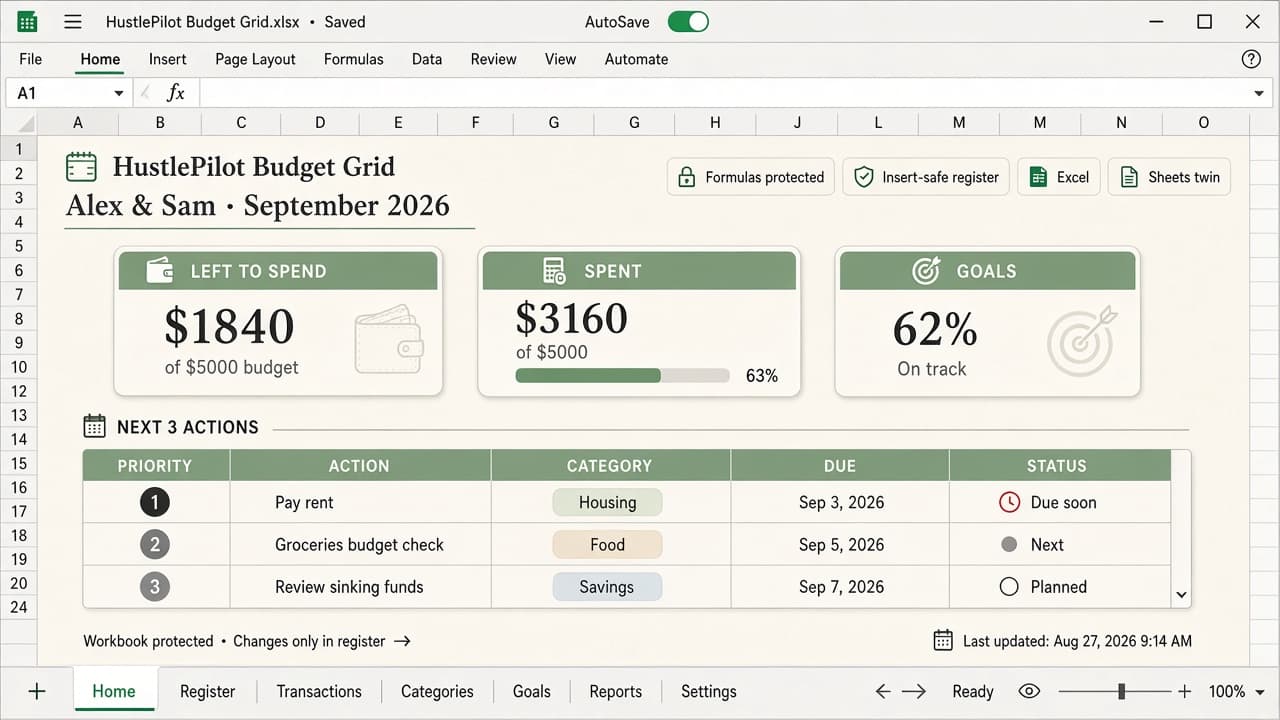
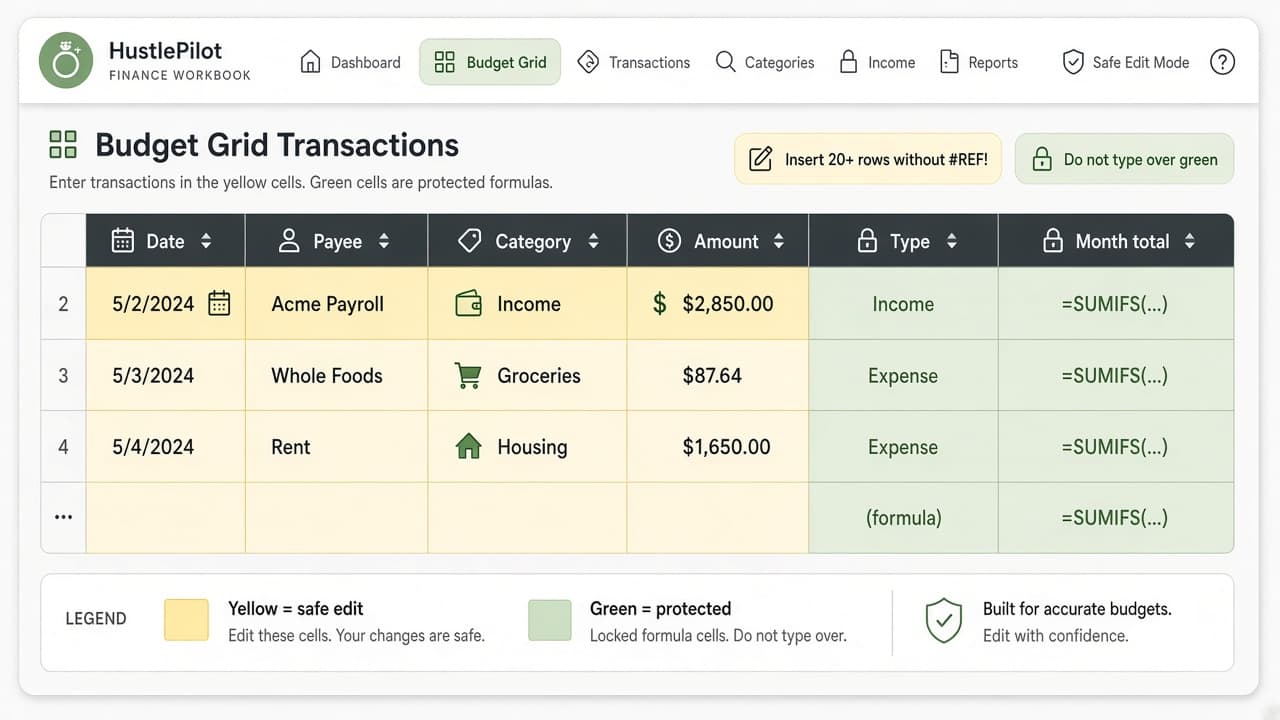
What this is not
Not an AI budget coach. Not a 20-tab mega-file. Not Apple Numbers. Just a clean, broken-proof workbook for tracking money in Excel or Sheets.
How checkout works
- 1
Click Buy on Payhip — £9
- 2
Complete checkout on Payhip
- 3
Download your files and open the setup guide first
FAQ
Yes. One purchase includes the Excel file and a Sheets twin with the same tabs, formulas, and layout.